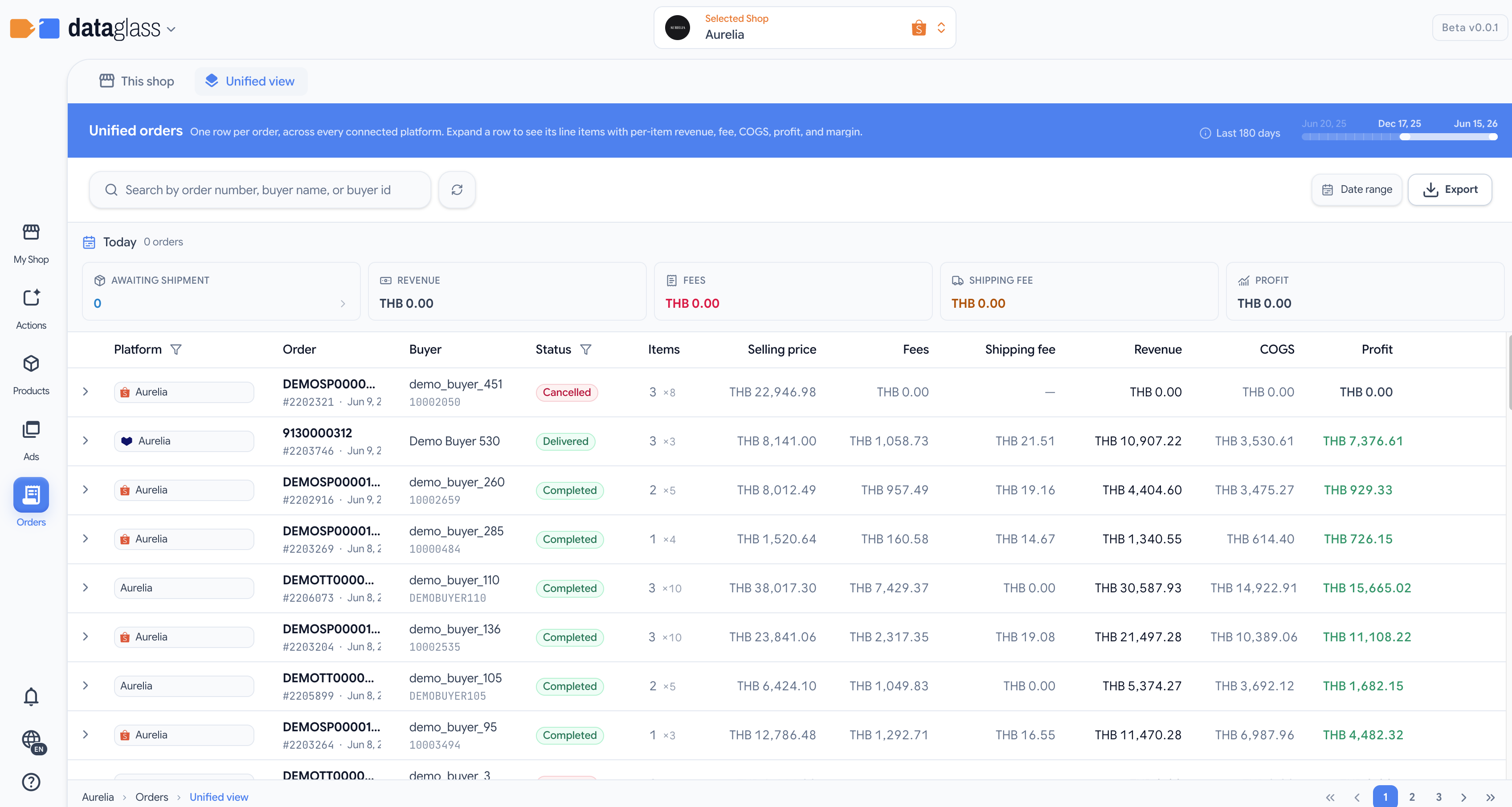
Orders shows every order from all your connected shops (Shopee, Lazada, TikTok Shop) in a single unified list. Search by order ID or buyer name, filter by status, and export data for accounting or fulfillment.
How it works
- Unified order list — See all orders from all platforms with order ID, buyer name, item count, total, and status (unpaid, ready-to-ship, processing, shipped, completed, or cancelled).
- Quick search — Filter by order ID or buyer nickname/email; results update instantly.
- Status filtering — Click status badges to filter the view by order state (e.g., show only "ready-to-ship" orders).
- Click an order — View details including linked product, buyer contact, and platform-specific order state.
- Line items — Expand an order to see its line items and the canonical product each one resolved to. To correct a wrong grouping, use Matching and merging — the split is done from the product, not from the order.
- CSV export — Export the full order list or filtered subset for invoicing, inventory, or custom analysis.
- Pagination — Navigate through large order lists; page size adjusts to your preference.
Why this matters
- One place to manage fulfillment — No need to jump between Shopee, Lazada, and TikTok seller portals.
- Cross-shop search — Find a customer's order across all marketplaces without remembering which shop they bought from.
- Automated accounting — Export order data to reconcile with your inventory and bookkeeping systems.
Status labels are platform-specific; a "shipped" order on Shopee may appear as "delivered" on TikTok Shop. DataGlass normalizes these to a canonical set for consistency.