DataGlass Agent
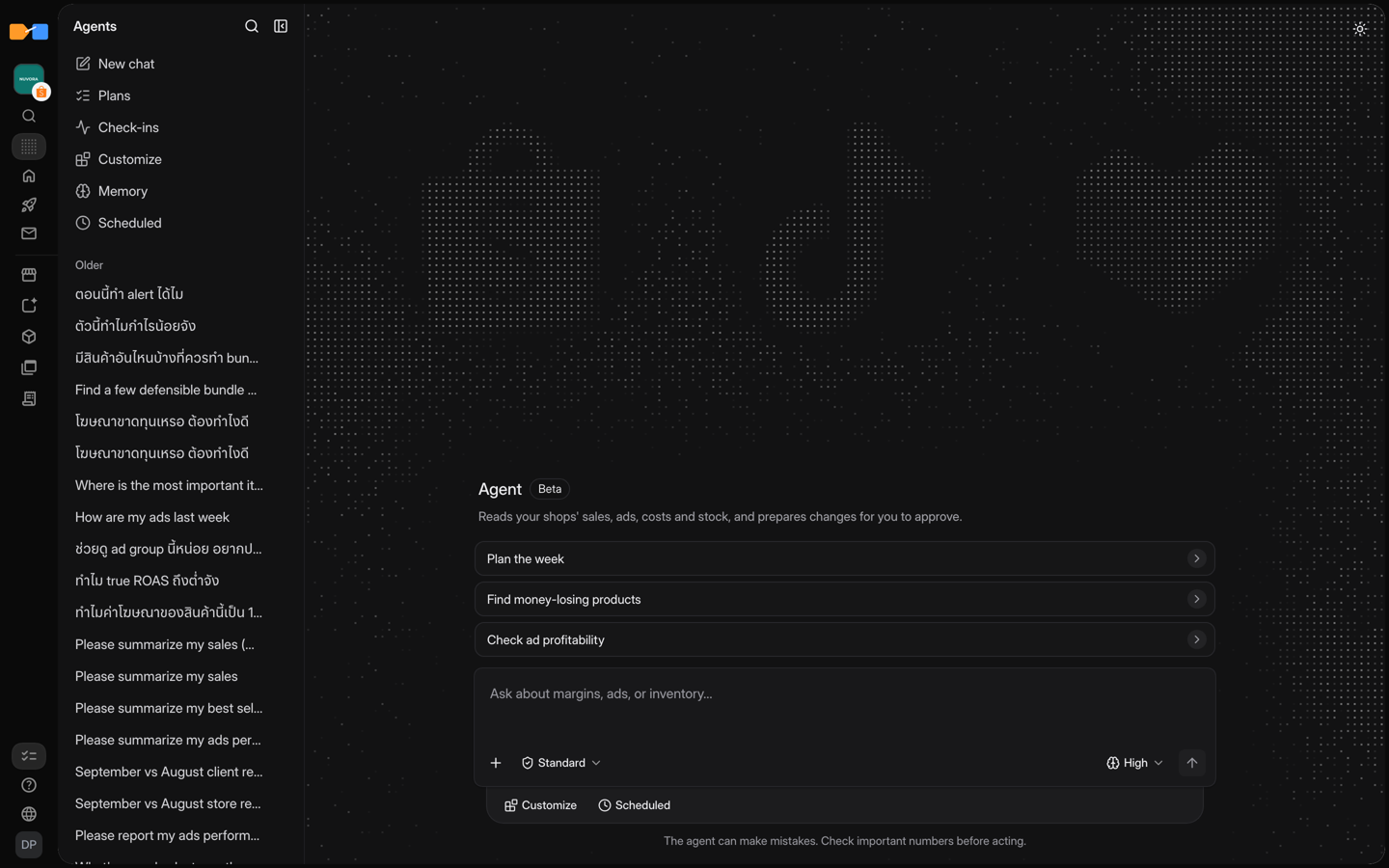
The DataGlass Agent works on your shop, not just answers about it. Give it a job, such as "protect my margins this week" or "get me ready for 11.11". It reads your Shopee, Lazada, and TikTok Shop data, writes a plan, and prepares the price, ads, stock, and flash-sale changes. Once you approve them, it applies the changes and checks each result.
It runs inside DataGlass, so there is nothing to connect. Open Agents in DataGlass, or use the Ask DataGlass panel beside the page you are on. The panel already knows which page and shop you are looking at.
How to use it
- Open Agents and describe the job in plain words. You don't need tool names or shop IDs.
- Pick a mode in the composer (see below). Standard is the default.
- Read the plan. You can add Targets & limits, such as an ad budget, a minimum margin, a minimum ROAS, stock to keep, or products marked Don't touch.
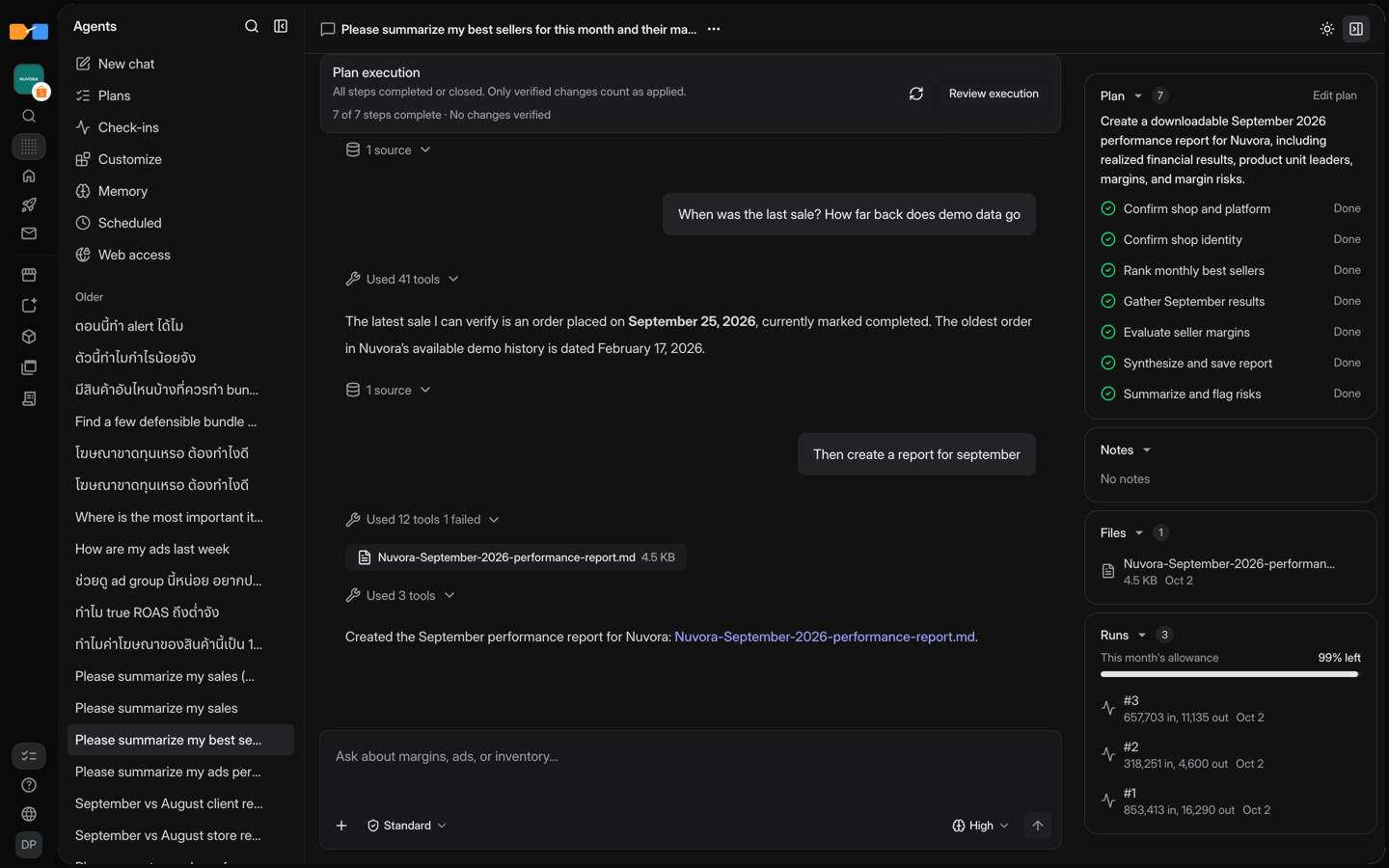
- Review the proposed changes, then click Approve plan and run. The agent works through the steps in order and checks each result before it moves on.
- To repeat the job, turn it into a scheduled task, and the agent reports back daily or weekly by itself.
Choose how much it can do
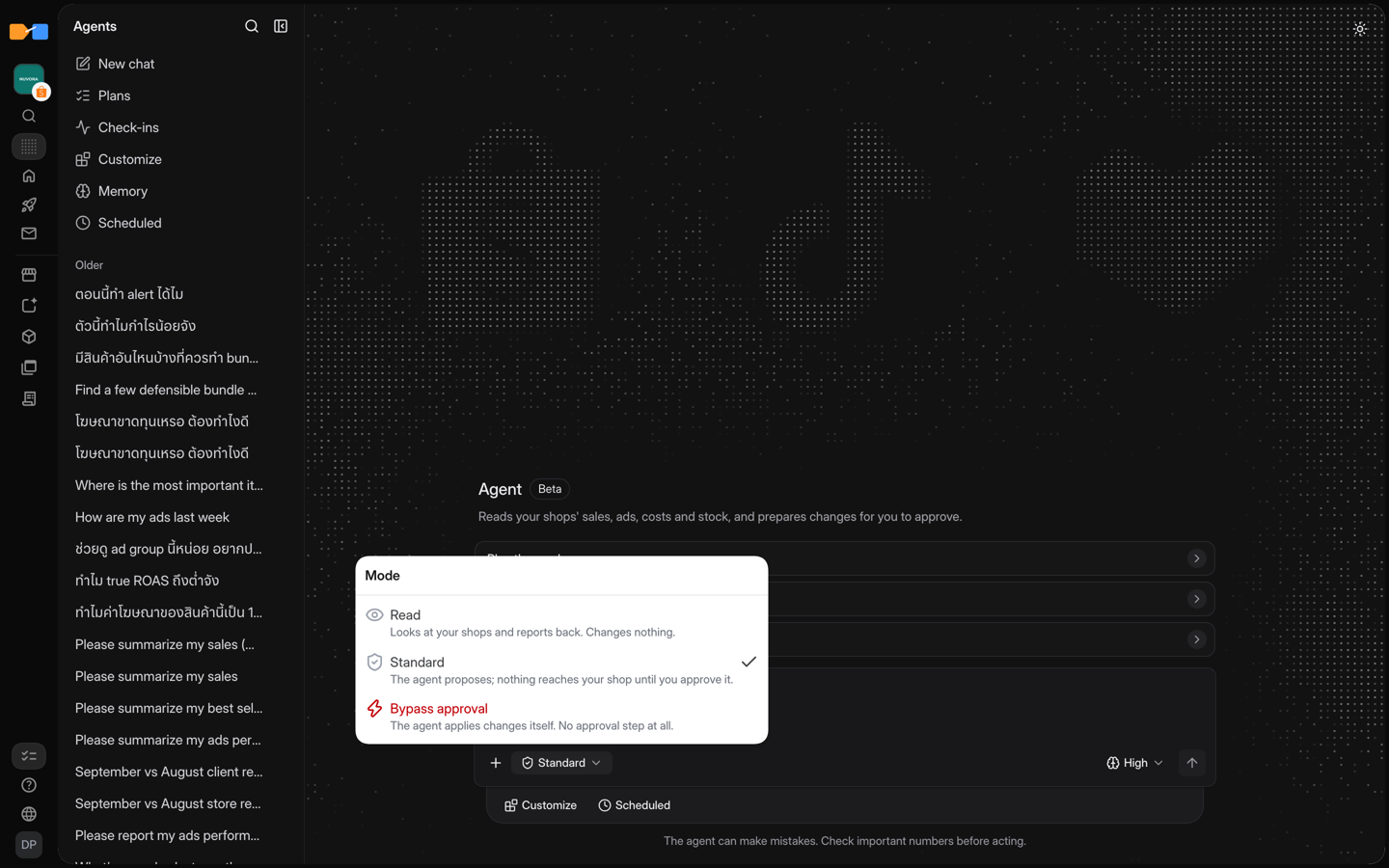
| Mode | What the agent does | Use it for |
|---|---|---|
| Read | Reads your shops and reports back. It changes nothing. | Questions, reviews, and audits. |
| Standard | Proposes changes. Nothing reaches your shop until you approve it. | Most work. This is the default. |
| Bypass approval | You pick this mode and give the instruction. The agent then carries it out, applying the price, budget, and stock changes it decides on without stopping for your approval of each one. | Clear, narrow instructions in a chat you are watching. |
A mode change applies from your next message. Scheduled tasks only run in Read or Standard, so nothing changes on a timer without your approval.
What it can change
When you approve them in Standard, the agent can run these changes:
| Change | Shopee | Lazada | TikTok Shop |
|---|---|---|---|
| Price-tier drafts | ✓ | ✓ | ✓ |
| Margin defense (price changes when fees or costs rise) | ✓ | ✓ | ✓ |
| Ads recommendations and target ROAS | ✓ | ||
| Ads optimization group runs and budget calendar | ✓ | ||
| Shop flash sales | ✓ | ||
| Restock purchase-order drafts | ✓ |
In Bypass approval, it can also apply these DataGlass Actions itself: Shopee bundle deals and add-on deals, price-buffer discounts (Shopee and TikTok Shop), product Boost, and SEO titles. In Standard, Deploy them from Actions. The agent also writes product costs (COGS) and alert rules, which stay inside DataGlass.
Reading and analysis work on all three marketplaces, and on Meta ads.
What it won't do: it can't create or edit vouchers, flexi-combo, or free-shipping campaigns, or edit a bundle or add-on deal that already exists. It can't read the price-elasticity model; use Price elasticity in the app. A restock draft is a draft only: it doesn't order from your supplier or change stock or costs. For Shopee campaign nominations, the agent prepares the evidence and you submit in Seller Centre.
Make it yours
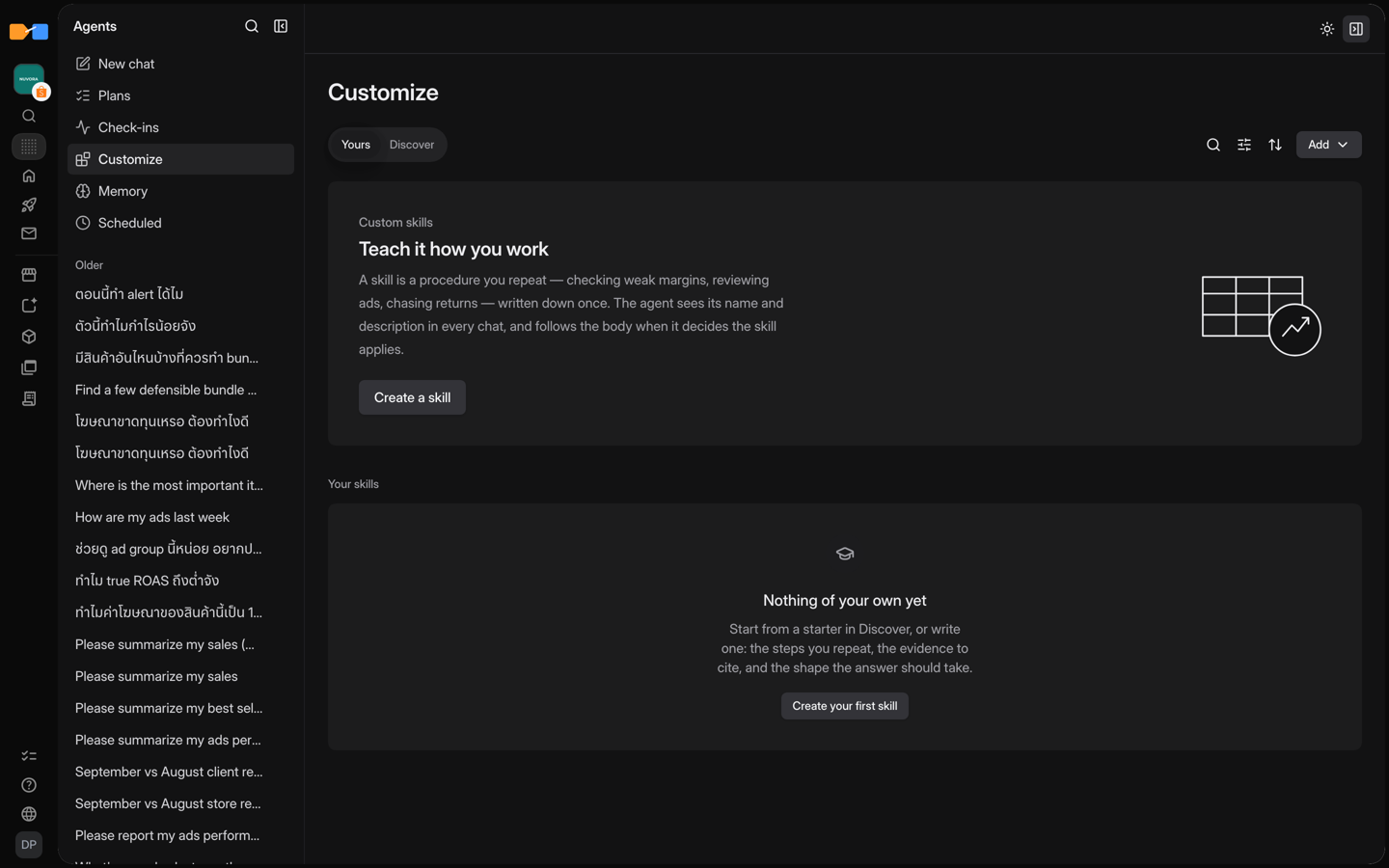
- Skills. The agent comes with 76 built-in skills (why profit dropped, missing COGS, restock planning, price simulation, Thai fee rules, and more). Under Customize, you can write your own or tell the agent in chat what you keep repeating, and it drafts the skill for you.
- Memory. Tell the agent a preference, a fact, or a decision ("never discount the Pro series") and it keeps it for every chat. Edit it under Memory. Corrections keep the old version in the history.
- Files. Attach up to 4 TXT, Markdown, CSV, TSV, JSON, JSONL, or XLSX files (8 MiB total), such as a supplier price list. PDF and images are not supported.
- Web access. When the agent needs an outside page, it asks first, and you approve each exact URL.
Who can use it
The Agent is part of the Pro and Enterprise plans and the 14-day trial. Standard plans see an upgrade card. See Pricing.
Next: Agent use cases · Agent or MCP?